Color practice
Calibration Is a Chain, Not a Setting
My critical-viewing display is a projector and screen. I can adjust and calibrate the projector, but the image I see is made by the projector throwing light through the room, that light landing on a reflective screen, and the screen sending it back through the room to me.
The projector may be holding its target. That doesn't tell me whether the application applied the view I expected, whether the output converted the signal again, whether full range became video range somewhere in the I/O, or what the room and screen did to the light after it left the lens.
I need the calibration report. I just can't stop there.
This article has an audio companion: One Room for Mixing and Playback, about keeping professional monitoring and consumer references on the same calibrated playback chain.
My display includes the room
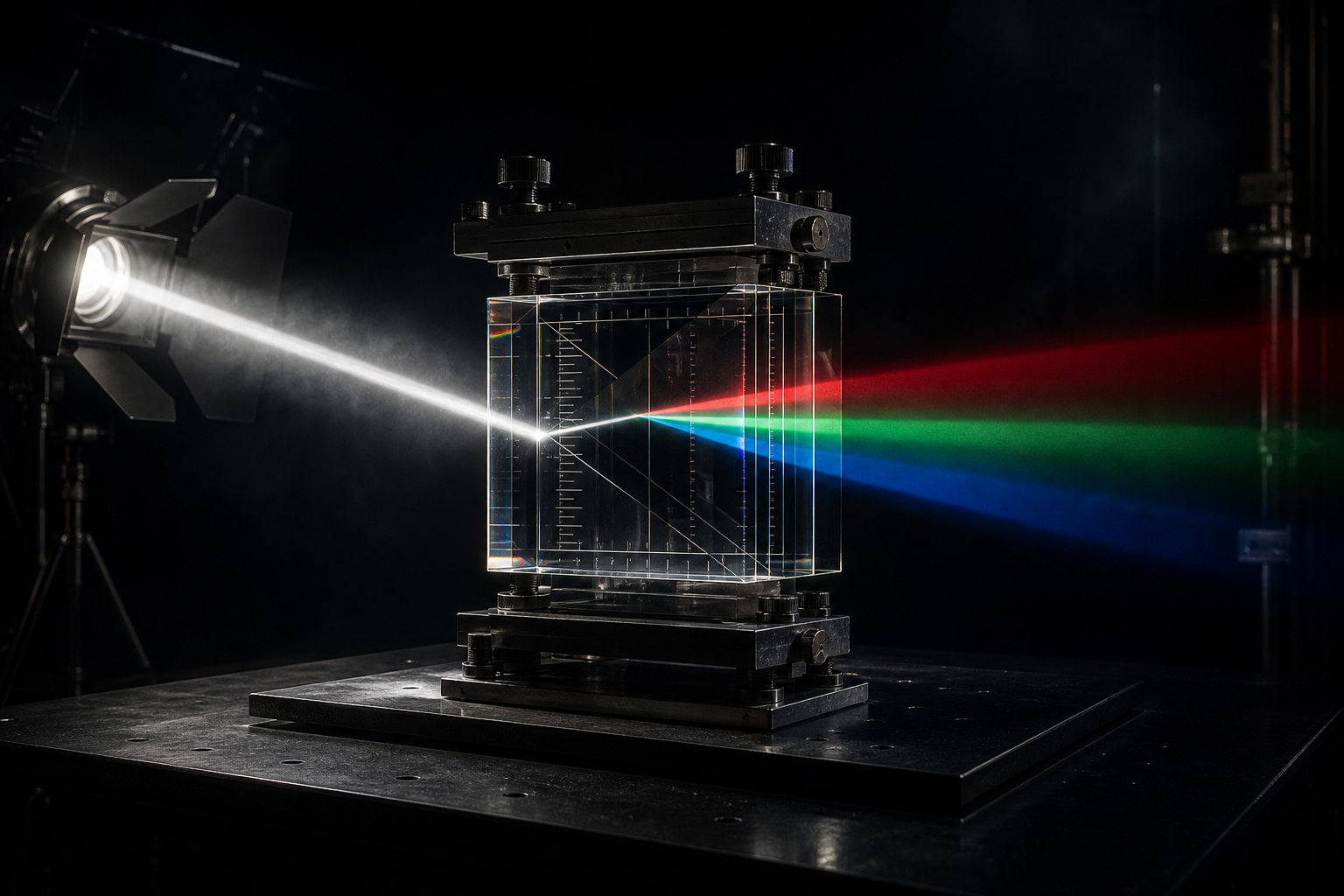
Room light affects a projected image in two different ways. The first is perceptual. Ambient light and the surround change my adaptation, which changes how I judge contrast, saturation and white. A bright interface near the image can do the same thing even when it never touches the signal.
The second is physical. Stray light lands on the screen, adds luminance, lifts the dark areas and reduces contrast. Projected light can also bounce off the screen, hit the room and come back again. NIST's work on projection display metrology treats the projector, screen, optical path and viewing room as an installed system. A projector measured under ideal conditions is not the same thing as the image in my room.
The screen surface is part of this too. Mine is acoustically transparent, so the weave that lets sound through introduces a small irregularity into the reflective surface. Woven and perforated screens have their own optical variables, including viewing distance and possible interaction between the surface pattern and projected pixels. Stewart Filmscreen's discussion of acoustically transparent screens gets into those tradeoffs.
In my room, at my seating distance, I perceive the reflected image as a little less pixel-sharp than a direct-view monitor. Grain and sharpness feel different to me on the woven surface. I sit about sixteen feet from a very large screen. Its angle of view may be similar to sitting in front of a 32-inch desktop monitor, but it does not feel perceptually identical to sitting close to a calibrated Flanders monitor. That is an observation from my room, not a rule for how projection or viewing distance always works.
I write down room conditions and screen type along with the projector calibration. Move the same projector into another room or put it on another surface and I have changed the display I am judging.
Before the meter comes out
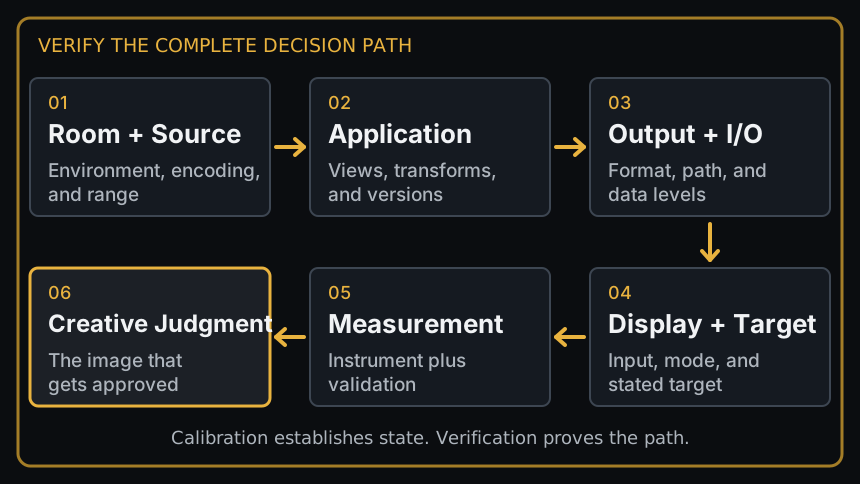
A source arrives with a color space, encoding and range. The application interprets it and applies a viewing transform. The operating system, GPU, output device and cable path carry that result to the projector or monitor. Any boundary can read the numbers differently.
I want those choices named. An OpenColorIO configuration defines the relationships among color spaces, displays, views, looks and roles. An ACES transform ID identifies a particular transform and version. Recording those identifiers is how I know what produced the image and how another room can rebuild the same interpretation later.
“The project is ACES” doesn't tell me enough. Neither does “the display is calibrated.” Which config? Which transform? Which version? Which target? Which input?
I consider all of those calibration questions even though none of them require a probe.
Professional guidance includes viewing conditions for the same reason. ITU-R BT.814 defines test signals and procedures for checking black and white behavior. SMPTE ST 2080-3 addresses reference viewing environments for evaluating HDTV images. I use the target with the conditions it was made for, then record the conditions I actually used.
A correct display can show the wrong signal
If the image is wildly broken somebody will investigate it. If it looks plausible, there is a good chance somebody will start grading it.
A scene-referred source can appear without its intended display transform. A display-referred source can get transformed a second time. Full-range data can be read as video range, or video as full. The application preview can follow one route while full-screen output follows another. The calibrated mode can be sitting one input away from the active one.
Then the creative corrections begin. I add contrast to compensate for a range error. I pull saturation out of an image that received its transform twice. Those corrections stay in the grade after the viewing error is fixed, or travel to another display where the original error never existed. Now the grade is correcting the room instead of the picture.
The meter and the person looking
My calibration workflow has changed with the displays. I have used Portrait Displays Calman with Flanders Scientific and SmallHD monitors. The official SmallHD and Calman workflow includes pre-calibration and post-calibration measurements, which is an important distinction: changing a display and checking what it does afterward are separate operations. Flanders Scientific also documents a Calman workflow for its supported monitors.
On my current Flanders I now use its built-in calibration. Flanders documents GaiaColor AutoCal and Analyzer for supported monitors. I am not saying an internal workflow is inherently more accurate. It is the route I use on that display now, and I still need the target, probe, correction, result and date.
Measurement can check response, neutrality, gamut behavior, consistency and drift against a stated target. Then I look at actual images. Does a face have life in it? Does the highlight sit in the scene or announce the display? Does the cut hold together? A probe can't answer those questions.
There is another complication with newer displays. The measurement is expressed for the CIE standard observer. My eyes are not that standard observer.
I have encountered this with both a QD-OLED Flanders monitor and my laser projector, especially around green and white. I have seen different people perceive those colors differently on the same systems, and numerical matches did not always look the same to every observer. The preferred term for the broader problem is observer metamerism. Two displays can produce the same measured tristimulus values for the CIE standard observer and still not look alike to a real observer because their spectra differ and individual color-matching functions vary. A particular match that breaks is an observer metameric failure. The CIE definition concerns the mismatch introduced when the standard observer is replaced by a real test observer.
This has been studied with LCD and laser projection and in OLED/LCD comparisons. That research does not establish that a display was green because one observer saw it that way. A standard-observer measurement and the judgments of real observers can disagree without either result cancelling the other.
Observer metamerism is also not chromatic adaptation. Adaptation is my visual system changing with the viewing conditions and over time. It is not colorimeter spectral mismatch either. A colorimeter has its own filter responses, and its agreement with a target can depend on how well those responses and the correction used fit the spectrum being measured. Those are different problems and I don't want to use “metamerism” as a bucket for all of them.
Calibrating myself
There is a part of the process I think of as calibrating myself. I measure a neutral gray, white or known color, then notice what my first impression says. Warm. Cool. Green. Magenta. Sometimes my first impression and the measurement agree. Sometimes they don't.
I can't make my eyes into traceable instruments, and that isn't what I am trying to do. I am training my judgment to recognize when adaptation, the display spectrum or my own visual response may be pulling my first impression away from the measured state. Then I re-anchor with measurements, scopes, known images, a controlled room and enough time to adapt before I make a creative correction.
That re-anchoring matters because visual memory isn't very good. If I chase every first impression, I can move a measured neutral away from neutral and build the disagreement into the grade. If I ignore what I see because a report says the display is correct, I am no longer doing visual work. I need both, and I need to know which question each one is answering.
ITU-R BT.2100 shows the context behind even one familiar label. An HDR system includes image parameters, transfer functions, representations and reference viewing conditions. The image still has to reach the intended display through the intended interpretation, then an adapted observer makes the decision.
Prove the route and leave a trail
Once the display is calibrated and validated, I test the path I will actually use: application, project settings, output hardware, active input and room.
I send known material through it. Ramps expose clipping and banding. Patches reveal channel and level errors. Near-black and highlight detail show where the ends are going. Neutral scales and saturated colors catch problems that can hide in a familiar photograph. Familiar images matter too; I need something I know well enough to judge without inventing a new opinion every time.
Then I disturb the system on purpose. I change the input and return to the measured one. I bypass the view transform and restore it. I compare a still, a rendered file and live playback to see whether they take the same route. I confirm signal range on both sides of the I/O boundary. If the project has several delivery views, each gets checked as its own path.
A pattern sent straight to the display may prove the display while bypassing the application I use to grade. A probe can prove the projector or panel without telling me what the output device did. A render can look right in one player and wrong in the finishing application because the players made different assumptions. The route I care about is the one that was on screen when somebody said yes.
The record can stay short. I write down the room and screen conditions, source color space and encoding, application and project settings, OCIO or ACES config and transform versions, output device, format, range and active input. I add the display mode and target, instrument and correction, software, validation result and date, then name the files or images used for the visual check.
I record the approval condition too. A theatrical pass, HDR master, SDR trim, web review file and client laptop aren't one viewing condition at several brightness levels. Each has its own path and limits. I don't expect consumer displays to match the grading display. I do want the next room to know what we saw, what was intentional and where the image is allowed to move.